


AI Chat: All in One
3.482.00 Reviews
App Specs
- Version
- 1.0.16
- Updated On
- License
- Free
- Downloads
- 1,000,000+
- Developer
- Black King Bar
- Categories
- Productivity
- Platform
- Android
Screenshots
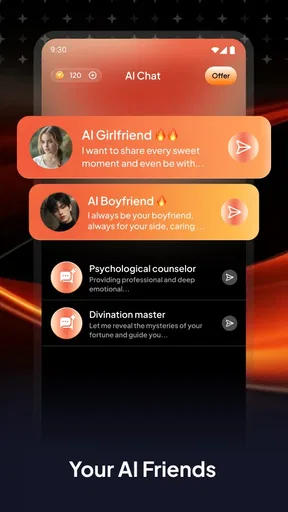
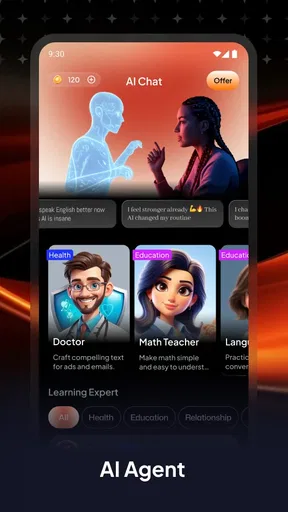
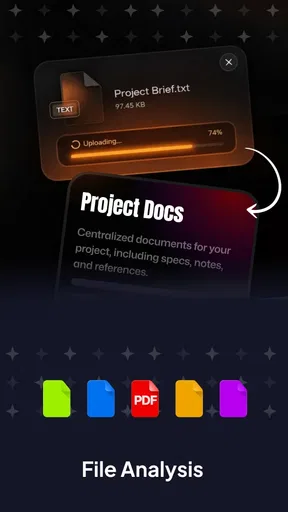
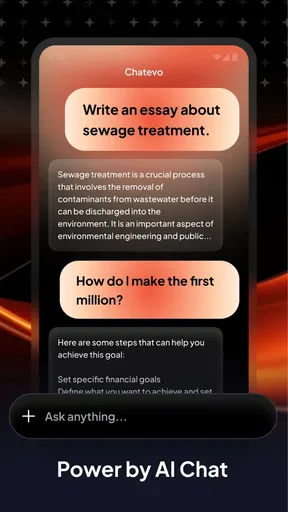
 Analysis by AppCompare
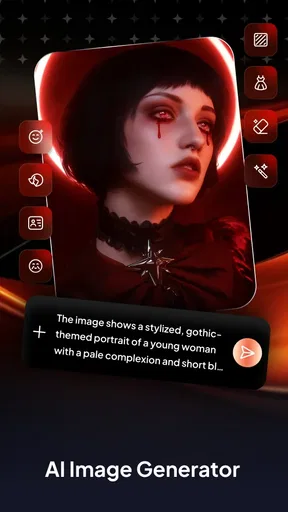
I approached AI Chat: All in One as a practical productivity tool rather than a reason to abandon every app I already use. Its appeal is the idea of bringing several AI-related tasks into one place: asking questions, making images, editing photos, and working with PDFs. That combination can save context-switching when a small task turns into another, though it also means the app has to serve different needs without making any one of them feel awkward.
One workspace for several kinds of tasks
The most useful way to think about this app is as a shared starting point for quick, varied jobs. I might ask for help wording a message, then turn to a PDF for a detail, or try an image-related task without opening a separate tool straight away. That convenience is the central benefit: fewer app changes, not necessarily a replacement for every specialist service.
For me, that distinction matters. A focused PDF reader is still the better choice when I need careful document organization, and a dedicated image editor is preferable when precision is the whole point. This app is more compelling when the task is brief, exploratory, or part of a chain of small errands. The value is in moving between task types with less friction, rather than assuming one interface will outperform every specialist.
How I would use it during an ordinary day
Picture a workday where I receive a PDF, need to understand one section, and then have to send a concise reply. I could use the document-reading side to get oriented, ask the chat tool to help me turn my notes into a clear response, and keep the whole sequence within the same app. I would still check the PDF myself before relying on any summary or answer, especially if the detail affects a decision.
A similar pattern works for personal planning. I can use a chat prompt to brainstorm a simple event idea, create an image to explore a visual direction, and edit a photo for a casual share. These are useful handoffs between capabilities, but I would treat generated material as a draft: check names, dates, wording, and visual details before sending or publishing it.
Where it fits among productivity apps
Compared with a standalone AI chat app, the attraction here is having image and PDF tasks nearby instead of treating every request as a separate workflow. Compared with a full office suite, it sounds better suited to quick assistance than to managing a large project with files, revisions, and team handoffs. And compared with a dedicated photo editor, its appeal is convenience rather than deep control.
That makes it a reasonable option for someone who tries AI tools casually and wants one place to start. It is less convincing for people who already have a polished setup built around specialist apps, or for anyone whose work depends on exact document handling, repeatable image edits, or a particular chat service. Before moving important work into any all-in-one tool, I would test the specific task I care about and keep a reliable alternative available.
Worth Reading Before You Choose

EA SPORTS FC Mobile 26 Is a Bigger Football Game, but It Takes Time

Flipboard Shows What News Apps Must Do Beyond the Feed

Switching to Android Auto Means Rethinking Your Driving Routine

Google Calendar Makes a Crowded Week Easier to Manage

Ludo King Makes the Most of the Minutes Between Plans

Baby Panda World Brings Quick Play to Modern Phones, but Its Game Library Feels Busy
Small habits that make the tools more useful
When asking the chat feature for help, I get better results by stating the audience, purpose, and desired length instead of sending a vague one-line request. For a PDF question, I would identify the section or topic I mean and compare the response with the document itself. That extra check is especially worthwhile when a file contains instructions or figures that need to be exact.
For image work, I would make one change at a time and keep the original photo intact elsewhere before experimenting. That makes it easier to judge whether an edit actually helps, rather than losing track of what changed. These habits do not make the app more powerful, but they help me use its mixed toolkit with fewer avoidable mistakes.
Who is likely to get the most from it?
I can see this fitting students who want a quick way to ask questions while reading a document, freelancers who move between drafting and light visual work, and curious users who like trying AI features without maintaining a separate app for every experiment. The common thread is variety: people whose tasks change often may value the convenience more than someone who repeats one specialized workflow all day.
I would skip it if I needed a dependable, feature-rich editor for professional image production, a dedicated system for organizing a large document library, or a tool whose main job is managing conversations across specific messaging services. It is also sensible to avoid putting sensitive material into an AI workflow unless you are comfortable with how that particular service handles it. Convenience should not replace judgment about the content you share.
Before installing, a practical question is whether the app’s mix matches your actual routine. If you only want chat, a simpler chat tool may be easier to navigate. If you regularly switch between chat, PDFs, and images, the combined approach has a clearer purpose. I would start with one low-stakes task in each area and decide from that experience whether keeping them together saves time.
AI Chat: All in One is a free productivity app from Black King Bar, with optional in-app purchases ranging from $0.99 to $89.99 per item. It is rated for Everyone, has an average rating of 3.4 from around 1.6 thousand ratings, and has over 1 million installs. Version 1.0.16 is listed for Android 7.0 and newer, so it is aimed at a broad range of devices. Those figures offer context, but they do not tell me whether its particular tools suit my habits; a short, low-risk trial is a better test.
Your New Chat Companion
If you're anything like me, you've probably found yourself juggling multiple chat apps, each with its own quirks and features. Enter AI Chat: All in One, a game-changer for those of us who live in the digital conversation world. This app promises to streamline all your chat needs into one neat package. Let's dive in and see if it lives up to the hype.
Setting Up
The first thing you'll notice when you download the app is its user-friendly setup process. It's as simple as pie. You’ll be prompted to connect your existing chat services, and the app does most of the heavy lifting for you. I was pleasantly surprised at how smoothly it integrated with my existing accounts. No fuss, no muss.
Features Galore
One of the standout features is the app's AI-driven smart replies. This nifty tool suggests responses based on the context of your conversations. It's like having a little assistant that knows exactly what you want to say, saving you time and effort.
But that's not all. The app also offers customizable themes and layouts, so you can make it feel truly yours. I spent a good chunk of time playing around with the different looks, and I have to say, it's a nice touch that adds a personal flair.
Performance and Reliability
No one likes an app that crashes mid-conversation, right? Thankfully, AI Chat: All in One runs smoothly, even when you've got multiple chats going. I tested it with various messaging platforms, and it handled them like a pro. It seems that the developers have put a lot of thought into ensuring it’s as seamless as possible.
Security and Privacy
In our current digital age, security is paramount. AI Chat: All in One assures users of its commitment to privacy with end-to-end encryption. It’s comforting to know that your conversations are just between you and the recipient, with no middlemen snooping around.
I would still be deliberate about what I send through any connected service, particularly when a conversation includes private details or work information. Encryption is reassuring, but it is not a reason to stop checking which account or service I am using before sharing something. For a casual exchange, the unified approach can be handy; for confidential material, I would first make sure the relevant service and its settings meet my needs.
What Could Be Improved
While the app is packed with features, there are a few areas where it could improve. For instance, integrating more niche chat services would broaden its appeal. Additionally, while the AI smart replies are mostly on point, there were a few instances where the suggestions were slightly off. A little fine-tuning here would make a world of difference.
Another point is that the initial sync with some services took a little longer than expected. It's not a deal-breaker, but it's worth noting for those who are in a hurry to get started.
Those tradeoffs shape how I would set it up: connect only the services I actually use, then give the first sync time to finish before relying on the app in a rush. I would also read every suggested reply before sending it. A polished-sounding response can still miss the tone, leave out a detail, or imply agreement I did not intend. Treating suggestions as editable drafts keeps the time-saving benefit without handing over the final say.
Final Thoughts
All in all, AI Chat: All in One is a solid app that delivers on its promise of unifying your chat experiences. With its user-friendly interface, robust performance, and focus on security, it's a worthy addition to your smartphone arsenal. It's not perfect, but the potential is definitely there. Whether you're a casual chatter or a messaging powerhouse, this app might just be the solution you've been looking for.
So, if you're tired of bouncing between different chat apps and want a more streamlined experience, give AI Chat: All in One a try. You might find it becomes your new favorite way to keep in touch with everyone in your life.
My recommendation is to judge it by the routine it actually improves. If the appeal is simply having fewer icons on your phone, that may not be enough; the useful test is whether switching between conversations feels easier without losing access to the services you rely on. If smart replies save a few moments but need frequent correction, or a service you care about is missing, the convenience may not outweigh the compromises.
For someone who enjoys trying practical AI tools and has a varied mix of small daily tasks, I think the all-in-one approach is worth exploring. For someone who values specialized controls, predictable workflows, or a single task done exceptionally well, a dedicated alternative will probably feel more comfortable. I would start with ordinary, non-sensitive conversations, check the suggested wording carefully, and keep the option to return to familiar apps. That is the fairest way to see whether this particular combination earns a place in your routine.
Pros
- User-friendly interface for easy navigation.
- Supports multiple languages for global users.
- Quick response time enhances user experience.
- Customizable settings for personalized usage.
- Integrates with other apps seamlessly.
Cons
- Occasional connectivity issues reported.
- Limited free features compared to premium.
- High battery consumption during use.
- Requires frequent updates for new features.
- No voice recognition for hands-free use.
FAQs for AI Chat: All in One
What platforms is AI Chat: All in One available on?
AI Chat: All in One is available for both Android and iOS devices, ensuring that users on either platform can access its features. The app can be downloaded from the Google Play Store for Android devices and the Apple App Store for iOS devices. Ensure your device meets the app's system requirements for optimal performance.
What features does AI Chat: All in One offer?
AI Chat: All in One provides a comprehensive suite of features including real-time language translation, voice-to-text capabilities, and customizable chat interfaces. It also supports various AI-powered functionalities like smart replies, predictive text, and integration with other apps to enhance communication and productivity.
Is AI Chat: All in One free to use?
AI Chat: All in One offers a free version with essential features. However, to unlock advanced functionalities such as premium AI tools, ad-free experience, and advanced customization options, users can opt for a subscription plan. Pricing details and subscription benefits are available within the app.
How secure is AI Chat: All in One?
The app prioritizes user security by implementing end-to-end encryption for all messages. It also follows strict data privacy protocols to ensure that user information is protected. Regular updates are released to address any security vulnerabilities, providing a safe messaging environment for users.
Can AI Chat: All in One integrate with other apps?
Yes, AI Chat: All in One is designed to seamlessly integrate with various third-party apps. This includes popular social media platforms, email clients, and productivity tools. Integration enhances the app's functionality, allowing users to perform tasks like sharing files or scheduling meetings directly from the chat interface.


